
Building an Audio Classifier with CLAP and Hugging Face Spaces: A Journey into Browser-Based AI
How I built a zero-shot audio tagging tool that runs entirely in the browser using CLAP, Transformers.js, and Hugging Face Spaces.
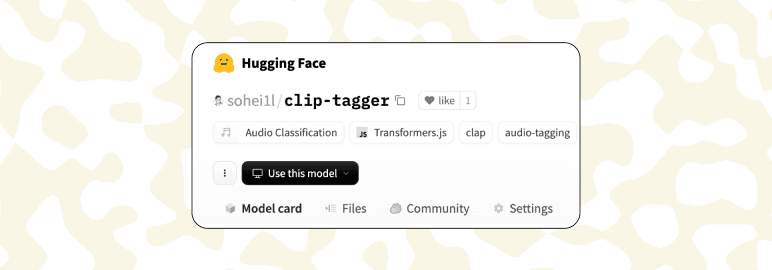
I've been diving deep into audio processing lately, especially with my current project, TalkTaps.com, which heavily relies on audio interactions. So naturally, when I discovered Hugging Face Spaces—a platform where you can quickly deploy AI apps—I got curious about what I could build.
The Idea
Exploring Hugging Face's JavaScript library, Transformers.js, I wanted to build somethign related to aduio and noticed there wasn't a straightforward audio classification demo available. Perfect! I went with that.
Initially, I wondered why GitHub wasn't hosting these AI models directly. Turns out, AI models are gigantic—like gigabytes huge—and GitHub isn't great at handling massive files (even with Large File Storage (LFS) ). Hugging Face, on the other hand, is built exactly for this. It simplifies deployment, manages big files effortlessly, and feels a bit like Vercel but specifically designed for AI.
Meet clip-tagger
I built clip-tagger, a zero-shot audio tagging tool running entirely in the browser. It:
- Uses CLAP (Contrastive Language-Audio Pre-training) via Transformers.js
- Learns and adapts based on user feedback
- Handles all audio formats your browser supports
"Zero-shot" here means it can classify audio into categories it hasn't specifically trained on—by comparing audio with text labels. Super flexible and perfect for quick experiments.
The Tech Stack
- Frontend: React + Vite
- AI Model: Xenova/clap-htsat-unfused via Transformers.js
- Audio Processing: Web Audio API
- Data Storage: IndexedDB for user feedback, localStorage for model caching
- Deployment: Hugging Face Spaces (static hosting)
Core Components
1. CLAP Integration
import { pipeline } from "@xenova/transformers";

class CLAPProcessor {
  async initialize() {
    this.classifier = await pipeline(
      "zero-shot-audio-classification",
      "Xenova/clap-htsat-unfused"
    );
  }

  async processAudio(audioBuffer) {
    const rawAudio = this.convertAudioBuffer(audioBuffer);
    return await this.classifier(rawAudio, this.candidateLabels);
  }
}
2. Learning from User Feedback
Added a lightweight logistic regression classifier:
class LocalClassifier {
  trainOnFeedback(features, tag, feedback) {
    const prediction = this.predict(features, tag);
    const error = (feedback === "positive" ? 1 : 0) - prediction;

    features.forEach((feature, i) => {
      this.weights[tag][i] -= this.learningRate * error * feature;
    });
  }
}
Challenges & How I Solved Them
Honestly, building clip-tagger wasn't as smooth as I hoped.
It took me some time to read and understand the The CLAP API. Then came the audio formatting nightmare —- CLAP needs audio in a specific mono Float32Array at exactly 48kHz. Browsers love decoding audio into random formats. Eventually, I figured out the conversion process.
Another surprise: the CLAP model was a 45MB. This led to painfully slow initial loads. I tackled this by caching model after first load so future recordings just use that and I built a lightweight feedback-learning system. Users correct tags, the system learns, and accuracy goes up.
How It Works (in a nutshell)
When you upload an audio file:
- Decodes audio properly.
- Classifies with CLAP.
- Adjusts predictions based on user feedback.
- Lets you fine-tune tags easily.
My Key Learnings
After wrestling with this project for weeks, here's what I learned that might save you some headaches:
- Transformers.js Performance: Browser-based AI is more production-ready than I expected. Performance isn't bad, especially if you optimize carefully.
- Browser AI Benefits: No privacy concerns, no API keys—everything stays local, and users love it.
- Feedback Loop Value: Allowing users to improve model accuracy themselves dramatically boosts engagement and effectiveness. I was playing around with it myself for a while!
- Hugging Face Spaces: It's like Netlify, but specifically designed for AI models. No complex infrastructure needed.
What's Next?
I'm exploring voice cloning as my next project—specifically looking to build something lightweight and browser-based. While deep learning might be necessary, I'm curious to see if we can achieve reasonable results with more efficient approaches. Stay tuned for updates!
Try It Out
- Live Demo: clip-tagger
- Source: GitHub Repo
I'd love your feedback and ideas on improving clip-tagger!